
Remote podcast recording · Windows · Free
Separate places, one studio recording.
Everyone records losslessly on their own computer, so a shaky connection never touches the sound. When the take ends, the files come to you and merge into one file with sub-millisecond precision.
- No account
- Up to 5 people
- Recordings never stored on a server

How it works
An episode in three steps.
-
Open a session, send the link
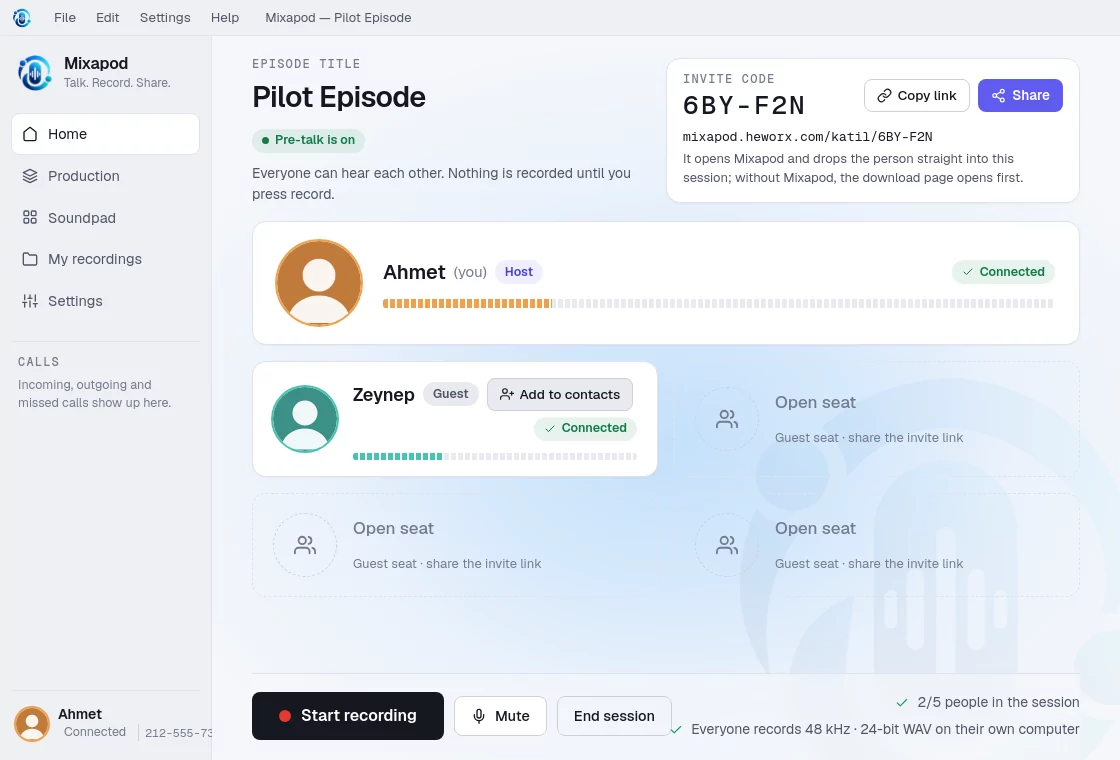
Mixapod gives you an invite code and a link. Whoever clicks it has Mixapod open and join your session directly.
-
Talk first, then press record
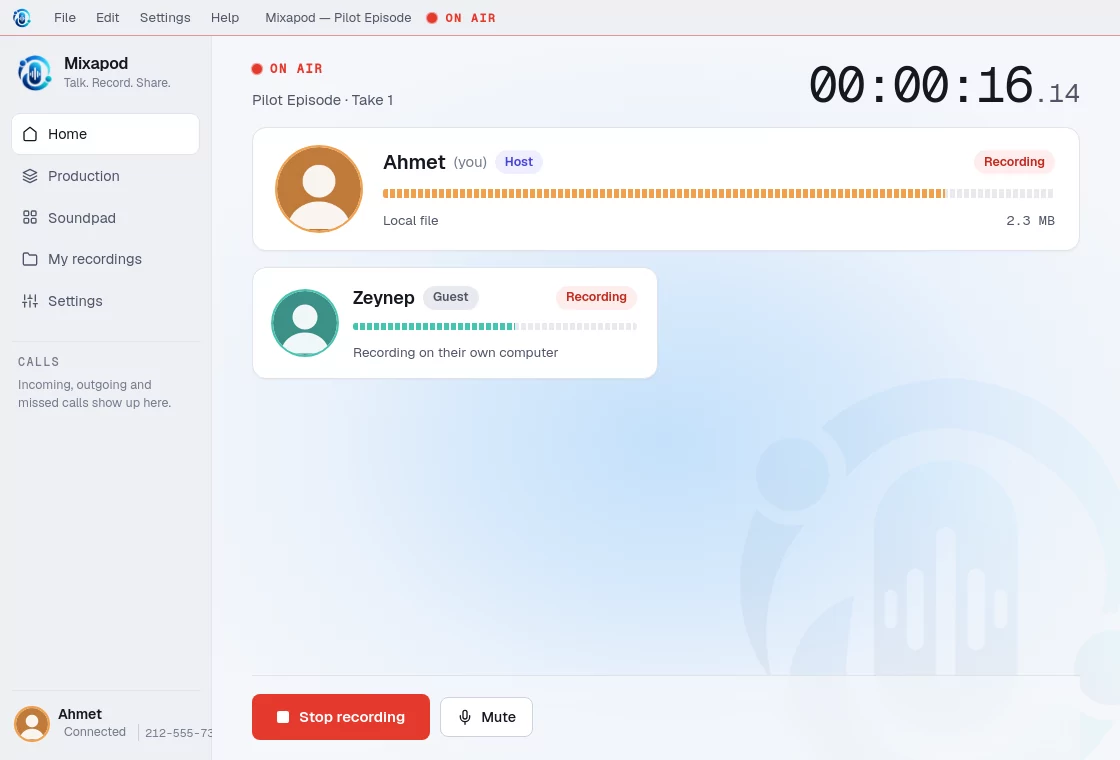
You warm up hearing each other. The moment you press record, every computer starts recording at the same instant on a shared clock.
-
The take ends, the files merge
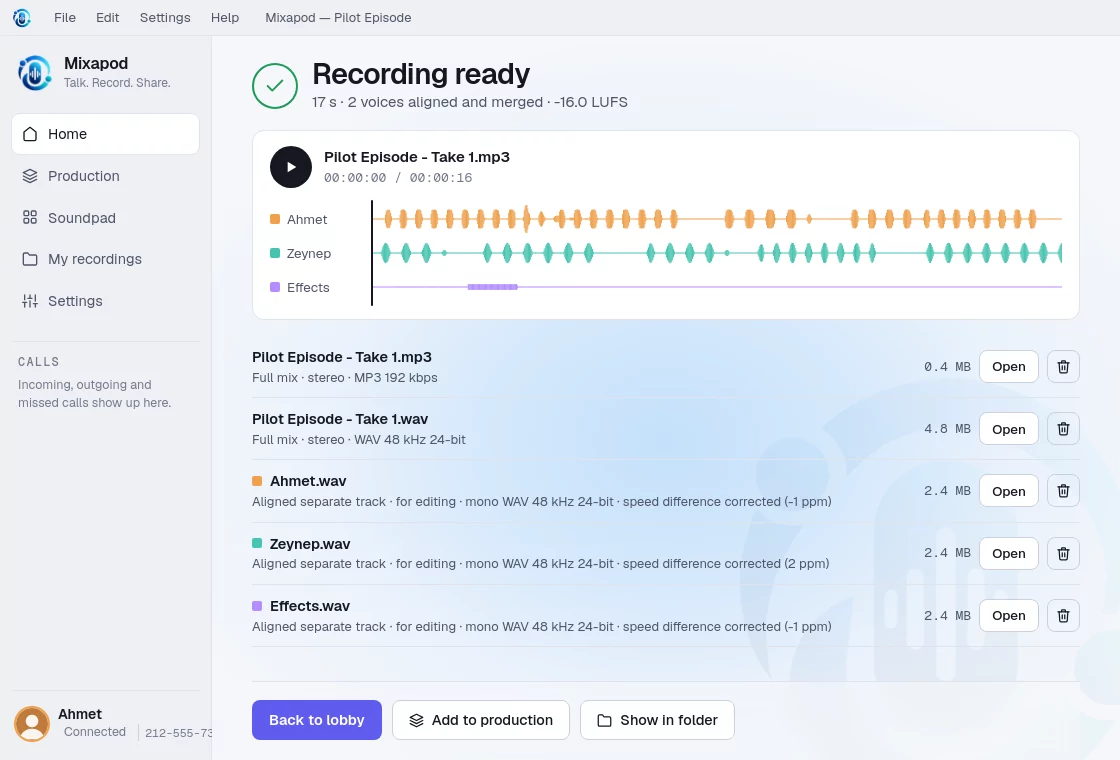
Everyone’s recording is sent to you and the voices are balanced. The result: a ready-to-publish MP3 and aligned separate tracks for editing.
Screens
The app itself.
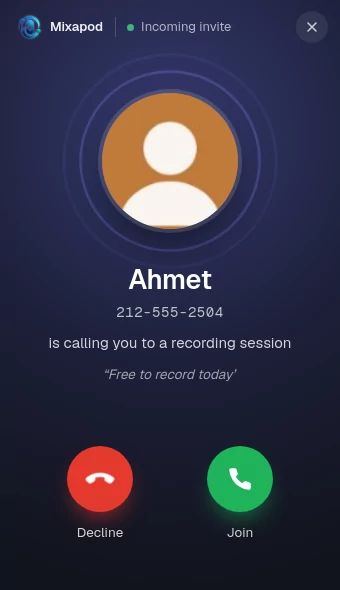
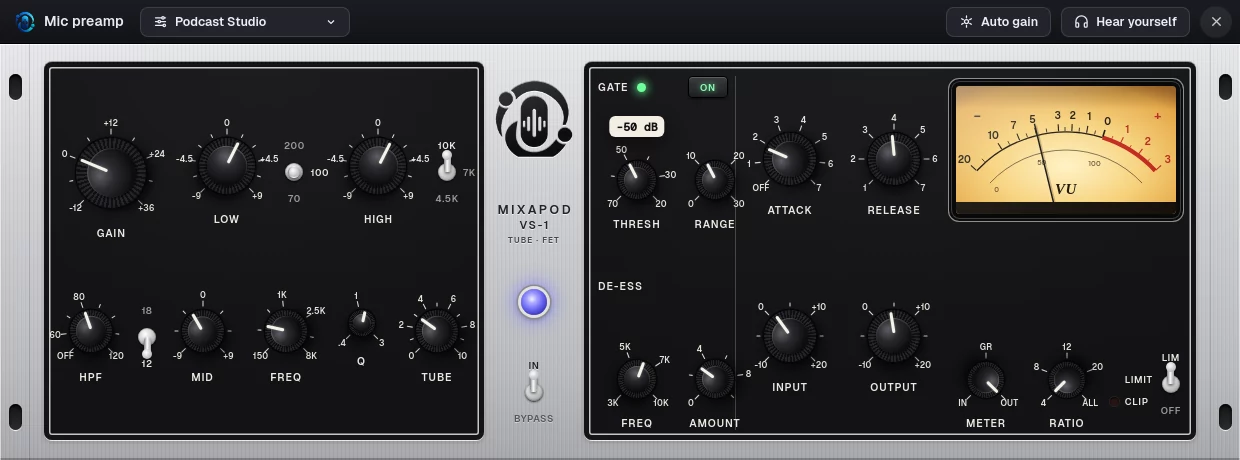
These pictures come from the current version of Mixapod, taken during a real test recording between two computers.
Invite code
One code, everyone in the studio.
When you open a session, Mixapod makes a six-character invite code and a link. Your guest clicks the link or types the code; both lead straight into the same session.
-
A code for every session
No look-alike characters: 0 and O, 1 and I never appear in a code.
-
Share in one tap
The share menu sends the code and the link in a ready-made message.
WhatsApp Email Telegram -
Call your contacts directly
If someone you have recorded with is online, you do not even need a code: the invite rings on their screen like a phone.
Mixapod number
A number of your own
Every Mixapod has a phone number, like the ones in the movies. Tell a friend your number; they call it, you press Join and you are straight in their session.
212-555-0147
-
Dial it on the keypad, it rings
Press the digits, the dashes come by themselves. A phone-like call window opens on the other side; if nobody answers, it becomes a missed call.
-
You choose who can call
Anyone who knows your number, or only your contacts. Block a number you do not want with one tap.
-
The number stays yours
New computer? Move your number over with its recovery code. Invite codes and links keep working as always.
Privacy
Your conversation doesn’t pass through the server.
A Mixapod number works like a phone carrier: the server ties the number to your computer, knows whether you’re online and routes the call to the right person. The difference: with a carrier the conversation also travels through the network; in Mixapod the sound flows directly between the two computers, encrypted.
Encrypted sound and files
Live audio, soundpad sounds and recording files are encrypted by WebRTC. The keys are created on the two computers; a safety code lets you check that nobody is in between.
DTLS-SRTP · 20-digit safety code
The relay can’t listen either
On networks where a direct connection can’t be made, audio goes through the relay server. The relay only passes encrypted packets along; it can’t see or store the content.
TURN · encrypted packets
The server only introduces
Who is in which session, names, status messages, who called whom: what it takes to set up a call. Not sound, recordings or files.
no content, call setup only
No account
No email, phone number or password. Your number’s secret key stays on your computer; the server only knows its hash.
key stays on your computer
Sound studio
A rack for your mic, a soundpad for your desk.
Recording quality is more than a lossless file. Mixapod comes with a preamp that shapes your voice before it is recorded, and a soundpad like the ones on broadcast desks.
Mic preamp
A channel strip in the tradition of the tube preamp and the FET compressor: high-pass filter, three-band EQ, tube warmth, gate, de-esser, limiter and a backlit VU meter. Its values come from real hardware and broadcast standards.
- 11 presets, plus your own
- Auto gain that listens to you speak
- Hear yourself in headphones, compare with bypass
- One click off if you use an external mixer
Soundpad
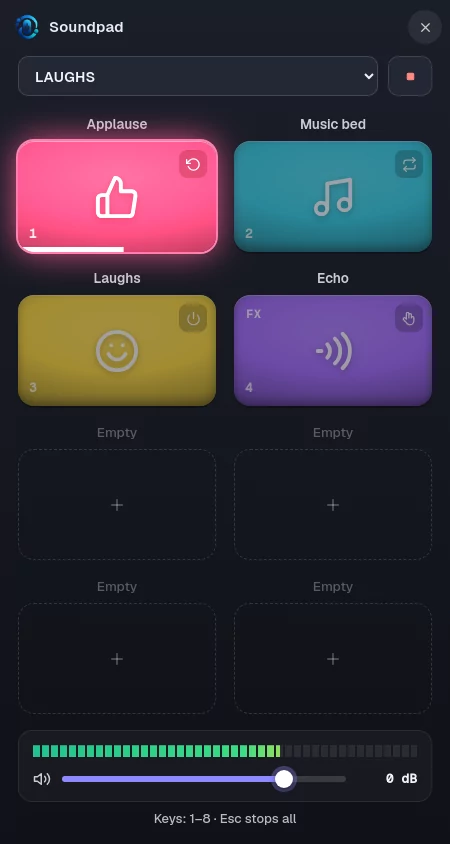
Laughs, jingles, music beds, transitions. Drag sounds onto pads, give them colors and icons, name your pages. A pressed pad reaches your guests’ headphones and lands in the recording as its own track, exactly when it was pressed.
- 1024 pads on named pages
- Toggle, one shot, hold and loop
- 12 voice effects: echo, robot, walkie-talkie, deep voice…
- Whole folders at once, your own icons
- Keyboard shortcuts, always-on-top window
Features
The internet is not in your sound’s way.
In video call recordings, the sound degrades along with the connection. With Mixapod every voice is recorded on the computer its microphone is plugged into; the internet is only used to hear each other while you talk and to move the files afterwards.
Lossless local recording
No compression, no dropouts. Each person’s voice is written to their own disk.
WAV · 48 kHz · 24-bit
Shared clock
Recording starts at the same instant for everyone; the small speed differences between sound cards are corrected while merging.
sub-millisecond alignment
Dropped connections come back
If the internet goes, the recording goes on. When it returns you rejoin the same session and transfers resume where they stopped.
even if the app closes
Ready-to-publish sound
Every voice is balanced on its own and the mix is brought to podcast loudness. Recordings are never stored on any server.
−16 LUFS · MP3 + WAV
Production
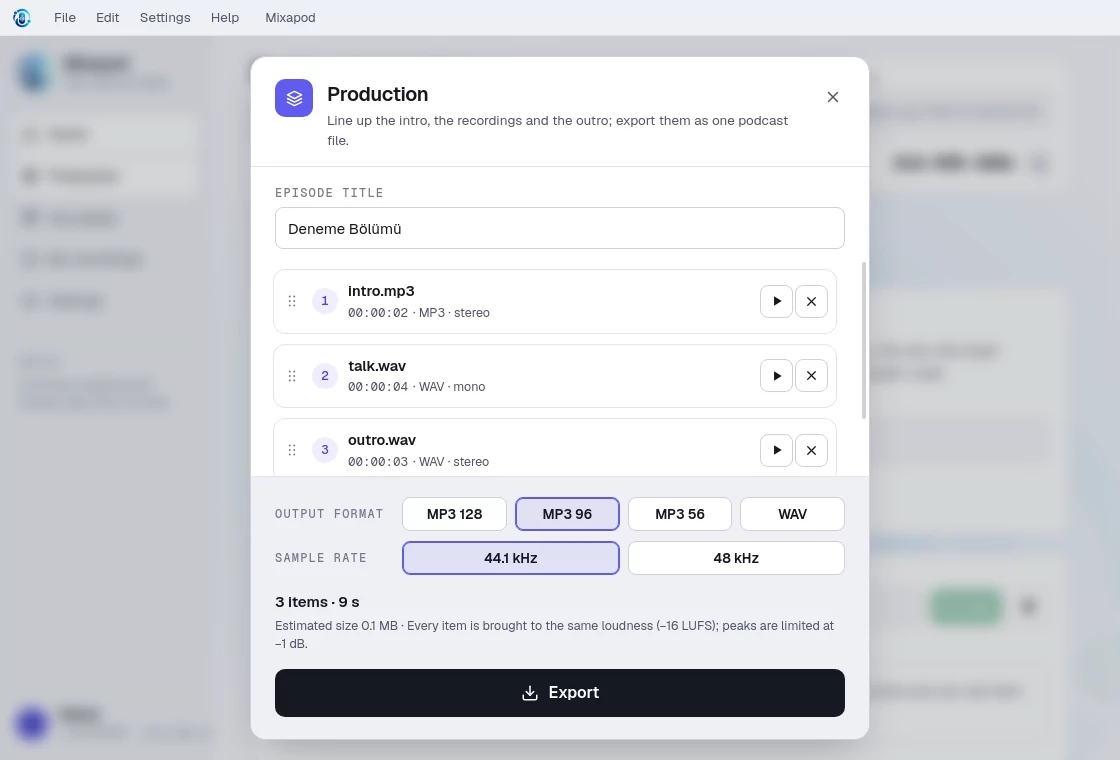
Intro music, recordings and outro: drag, reorder and export as a single podcast file.
MP3 128 / 96 / 56 · WAV
Contacts
See when the people you record with are online and what their status says; call them into your session with one click or by their Mixapod number.
212-555 numbers · mutual visibility
Download
Mixapod is free.
No account needed. Installing does not ask for administrator rights, and the app downloads new versions itself and installs them with one click.
If Windows shows a warning
Mixapod is not digitally signed yet. On first install a “Windows protected your PC” window may appear:
- Click More info.
- Press Run anyway.
Wear headphones: sound from your speakers leaks into your recording. Installation guide