
DocsGetting started
What is Mixapod?
Mixapod is a free Windows app that brings people in different places together in one podcast recording. Everyone records losslessly on their own computer; when the recording ends, the files come together on the host’s.
In remote recordings made with video call apps, the sound travels over the internet: when the connection stutters, the sound breaks up, gets squashed or drops out. Mixapod turns this around. Each person’s voice is recorded on the computer their microphone is plugged into. The internet is used for only two things: hearing each other while you record, and moving the files to the host once the recording ends.
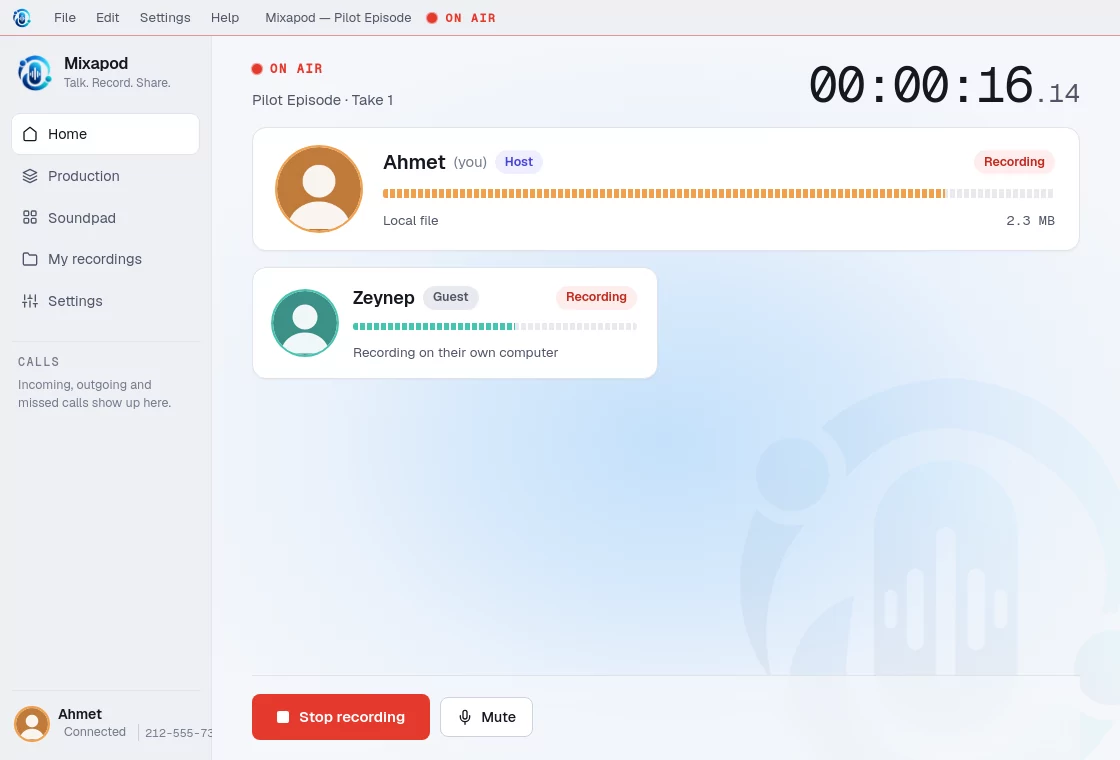
How it works
- The host starts a session. Mixapod creates a six-character invite code and an invite link.
- Guests join. When a guest clicks the link, their Mixapod opens and goes straight into the session. You can also call guests in directly: one of your contacts, or a Mixapod number.
- You talk first. In the lobby everyone hears each other; nothing is recorded yet.
- The host presses record. After a short countdown, everyone’s computer starts recording at the same moment, on a shared clock.
- The recording ends, the files arrive. The guests’ recordings are sent to the host, the voices are balanced, and everything is merged into one file ready to publish.
What’s inside
| Feature | In short |
|---|---|
| Sessions and invites | A host and four guests, a six-character code, a link that opens with one click |
| Recording | 48 kHz / 24-bit lossless local recording, shared clock, resilient to dropped connections |
| Transfer and merge | File transfer over a direct connection, voice balancing, stereo mix, MP3 + WAV |
| Production | Merge the intro music, recordings and outro into one podcast file |
| Contacts and calls | People you have recorded with, online status, calling like a phone |
| Mixapod number | A permanent 212-555 number for every installation, dialing with a keypad |
| Microphone and preamp | A channel strip in the tradition of tube preamps and FET compressors, 11 presets |
| Soundpad | Laughs, jingles, music beds: sounds on up to 1024 pads, recorded as a separate track; 12 voice effects |
Who it’s for
- Podcast teams whose guests are in different cities or countries.
- Producers who don’t want sound quality to depend on call quality.
- People who want to work without creating an account or uploading their recordings to a server.
Start here
- If you haven’t installed the app yet: Installation and updates
- Your first recording in five minutes: Your first recording
- Something wrong: Troubleshooting